







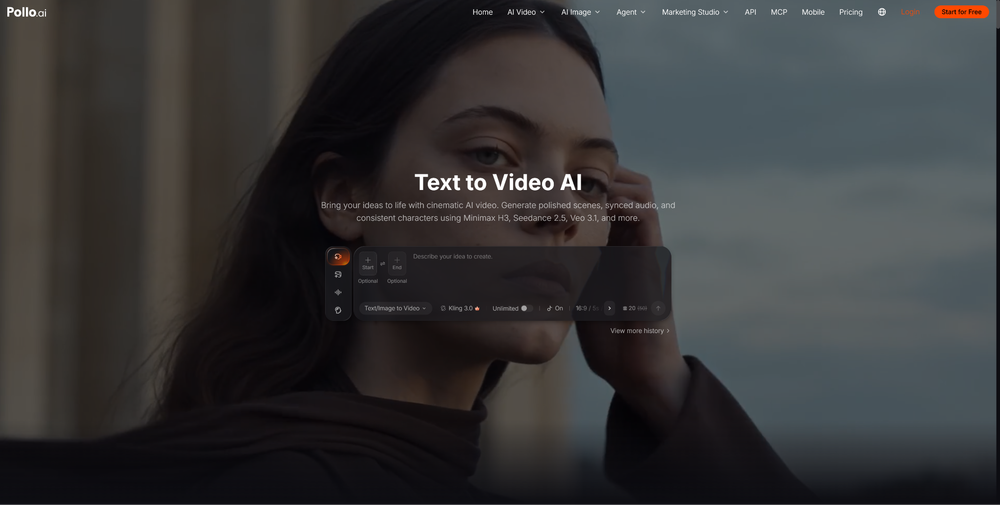
Product pages with video tend to answer buyer questions that photos can’t, but traditional shoots are slow and costly. With Pollo AI, you can use text to video AI to turn a written product brief into a short, polished clip in minutes. This guide shows retailers how to write effective prompts, choose the right format, and avoid common mistakes when creating product videos that convert.
Why Do Product Videos Convert Better Than Static Images?
Because video shows what a photo can’t: motion, texture, scale and context. A knitted jumper looks soft in a photo, but a slow camera push shows the weave and how the fabric drapes. A water bottle is just a shape until you see a hand pick it up.

For retailers, this reduces buyer uncertainty. Fewer unanswered questions usually means fewer abandoned carts and fewer “not as described” returns. The catch has always been production cost, and AI video generation removes most of it.
What Makes a Product Video Convert?
A converting product video is short, focused on one benefit, and clear about the product within the first two seconds. Across most retail categories, five elements matter:
- A strong opening shot. Show the product immediately, not a logo animation.
- One core benefit per video. Waterproof, lightweight, or fast-charging, but not all three.
- Realistic context. Place the product in a setting your customer recognises.
- Deliberate camera movement. Slow orbits and push-ins feel premium, while chaotic motion feels cheap.
- A clear ending. Finish on the product with space for a call to action.
Camera movement is where model choice matters most. On Pollo AI, I usually start with Seedance 2.0 for controlled orbits and push-ins, then run the same prompt through other models to compare. Build your prompts around these five elements and the results improve noticeably.
How Do You Create a Product Video with Text-to-Video AI?
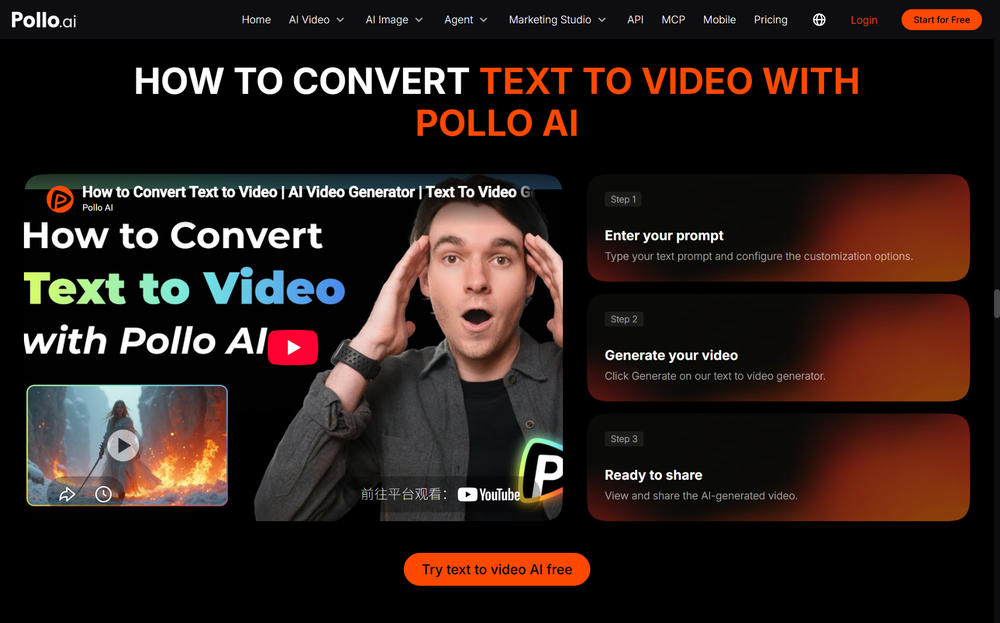
Write a descriptive prompt, choose a suitable model, generate a few variations, and keep the best one. Here’s the workflow I use:
- Define the goal. Decide where the clip will run (product page, Instagram Reels, paid ads) and pick the aspect ratio and length to match.
- Choose your model. Pollo AI gives you access to several leading video models in one place, so you can match the model to the job. Glossy electronics, soft textiles and food all behave differently, so testing is worthwhile.
- Write the prompt. Use the formula in the next section.
- Generate multiple versions. Never settle for the first output. Run three to four variations and pick the most natural one.
- Refine and export. Adjust wording, regenerate, then export the best take for your channels.
What Prompt Formula Works for Product Videos?
Use: Product + Setting + Action + Camera Movement + Lighting + Mood. Specific prompts consistently beat vague ones.
| Element | What to Include | Example |
| Product | Material, colour, shape | “matte black stainless steel water bottle” |
| Setting | Surface and background | “on a light oak table, soft morning kitchen” |
| Action | What happens in the clip | “a hand lifts the bottle, condensation on the surface” |
| Camera | Shot type and movement | “slow push-in, shallow depth of field” |
| Lighting | Light source and quality | “warm window light, soft shadows” |
| Mood | The feeling you want | “clean, premium, calm” |
Example prompts to copy and adapt:
- “A ceramic coffee mug in cream glaze on a walnut counter, steam rising, slow orbit camera, warm morning light, cosy and premium.”
- “A pair of white running shoes on a wet city pavement at dawn, low-angle tracking shot, cool blue light, energetic mood.”
- “A skincare serum bottle with a glass dropper on a marble shelf, a single drop falling, macro close-up, soft studio lighting, minimal and clean.”
Which Product Video Types Should Retailers Test First?
Start with short, single-benefit clips for product pages and social. These formats are easy to produce with text prompts and simple to A/B test:
| Video Type | Best For | Suggested Length |
| Hero product loop | Product page header | 5-8 seconds |
| Lifestyle in-use clip | Instagram Reels, TikTok | 8-15 seconds |
| Detail close-up | Showing texture and quality | 5 seconds |
| Seasonal promo | Sales and campaigns | 10-15 seconds |
Treat the first batch as a test. Publish two or three styles, watch which gets more engagement or add-to-basket activity, and double down.
What Mistakes Should You Avoid?
The most common failures come from overloaded prompts and unrealistic expectations.
- Cramming in too much action. One clear movement per clip works better than a complicated sequence.
- Ignoring branding details. Always check logos, labels and packaging text in the final clip, since AI can distort small text. Fix or crop where needed.
- Skipping the review. Check every output for odd proportions, warped edges or unnatural motion before publishing.
- Using one clip everywhere. Vertical for social, horizontal for product pages. Plan formats up front.
Ready to Try It? Start with Pollo AI
The quickest way to learn is to make one. Pick a bestseller, write a prompt using the formula above, and generate three variations in Pollo AI. You’ll see within minutes how much more engaging motion makes your listing, with no studio, crew or reshoot budget. Open Pollo AI, test your first product video today, and let your results guide what you scale next.

Terry Clark is the Publisher and Content Director of 365 Retail, with more than a decade of experience covering retail design, technology innovations, store openings and the wider retail industry. He also works closely with leading retailers, suppliers, agencies, events and industry awards across the UK.